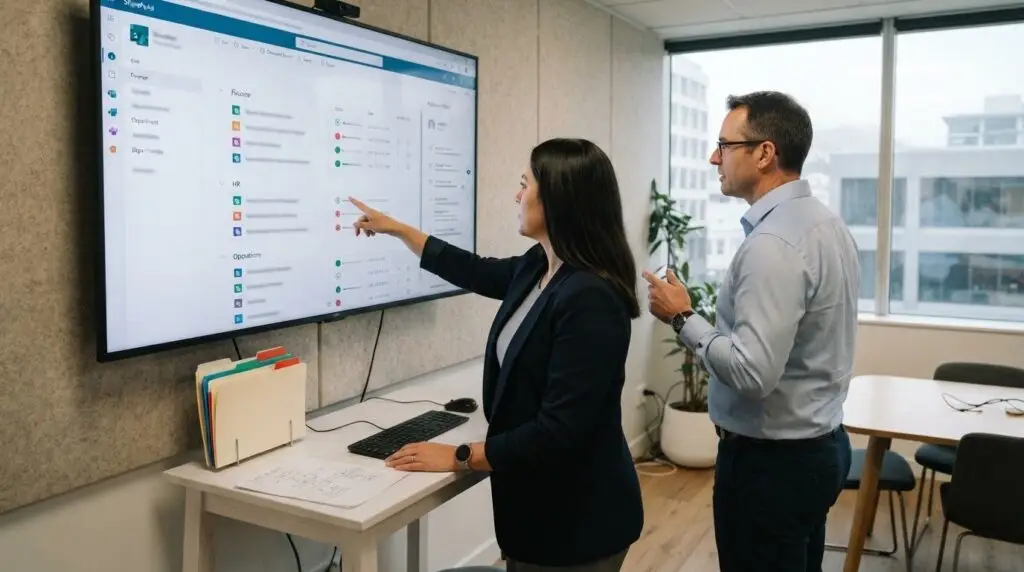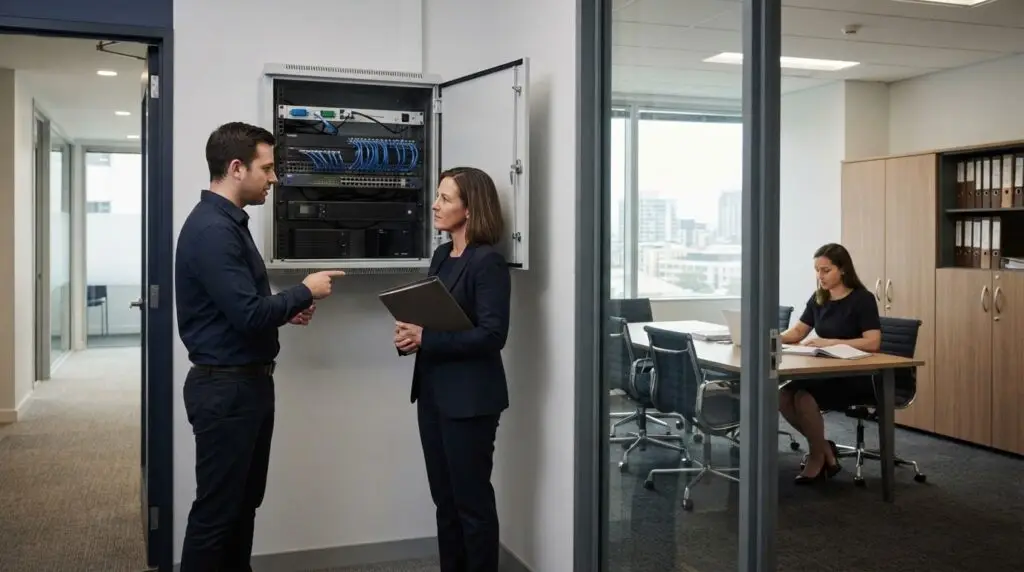
Technology should give your team a dependable foundation for doing its best work. Well-planned commercial IT connects the systems, devices, networks and services your organisation relies on, with advice and support tailored to business needs.
Keeping these moving parts aligned takes more than fixing problems as they arise. Strategic advice can clarify what your organisation needs, while ongoing support helps maintain the systems people use every day. The right mix may include on-site assistance, remote support, cybersecurity, cloud services and network management.
This guide explains what commercial IT infrastructure consultancy involves, how on-site and remote services work, and what to consider when choosing support. You’ll also learn how a practical technology plan can support productivity, strengthen resilience and keep IT decisions aligned with business priorities.
Key Takeaways
- Map your infrastructure needs to business priorities, from reliable networks to secure cloud access and room for growth.
- Combine remote support for ongoing management with on-site assistance when work needs a physical presence.
- Assess a provider’s strategic guidance, cybersecurity approach, communication and fit with your organisation’s needs.
- Compare external support and in-house teams by considering the expertise, continuity and management capacity each model can provide.
- Use a clear technology plan to connect day-to-day support with longer-term productivity and resilience goals.
IT infrastructure consultancy
IT infrastructure consultancy links technology decisions to an organisation’s priorities. A practical review can map existing systems, identify constraints and set clear next steps.
Define the business requirements
Consultancy starts with understanding how people work and which systems support essential tasks. A Wellington team working across several sites, for example, may need reliable access to shared files and business applications. An adviser can document key workflows, current frustrations and planned changes, then use these findings to shape recommendations.
Review the existing environment
A structured assessment examines networks, devices, cloud services, data storage and system dependencies. The review might trace how a staff member connects from a laptop to Microsoft 365 and shared business files. This can reveal duplicated tools, ageing equipment or gaps between current systems and the organisation’s needs.
Build a practical technology roadmap
A roadmap turns findings into sequenced decisions. It can distinguish essential maintenance from planned improvements, such as replacing a network component before moving a business application to the cloud. Each step should explain its purpose, dependencies and likely effect on staff so decision-makers can weigh it against business priorities.
Connect infrastructure with security and continuity
Consultancy also considers how systems support secure, dependable work. A review might examine who needs access to particular files and how critical information is backed up. Recommendations should connect access controls, network design and recovery planning rather than treating each decision as a separate technical task.
Choosing a Commercial IT Provider
For a New Zealand organisation, assess whether an adviser can explain technical choices in business terms. Ask how the review will cover networks, cloud systems, security and future plans, then look for recommendations tied to actual workflows. A useful proposal sets out priorities, dependencies and decision points instead of presenting products without context.
Provider and In-house IT Comparisons
An in-house team brings day-to-day knowledge of internal processes, while an external provider can add infrastructure experience and a broader strategic perspective. Compare work that needs close staff involvement, such as understanding a specialist application, with work that may benefit from wider expertise, such as network planning. The right balance depends on internal capacity and organisational priorities.
Turn recommendations into managed change
Consultancy is valuable when findings lead to clear ownership and follow-through. A staged plan can assign internal decision-makers, identify dependencies and explain how each change affects staff. Network infrastructure management supports day-to-day operations, while a roadmap keeps technical work aligned with productivity, security and future growth.
On-site and off-site IT services
On-site support handles work that needs a person at your premises; remote support resolves suitable issues through secure access. Outsourcing risks include unclear responsibilities, weak access controls and lost internal knowledge, so define ownership and handover processes. To find local support in New Zealand, compare providers’ service descriptions with your locations, systems and need for in-person assistance.
Common Commercial IT Services
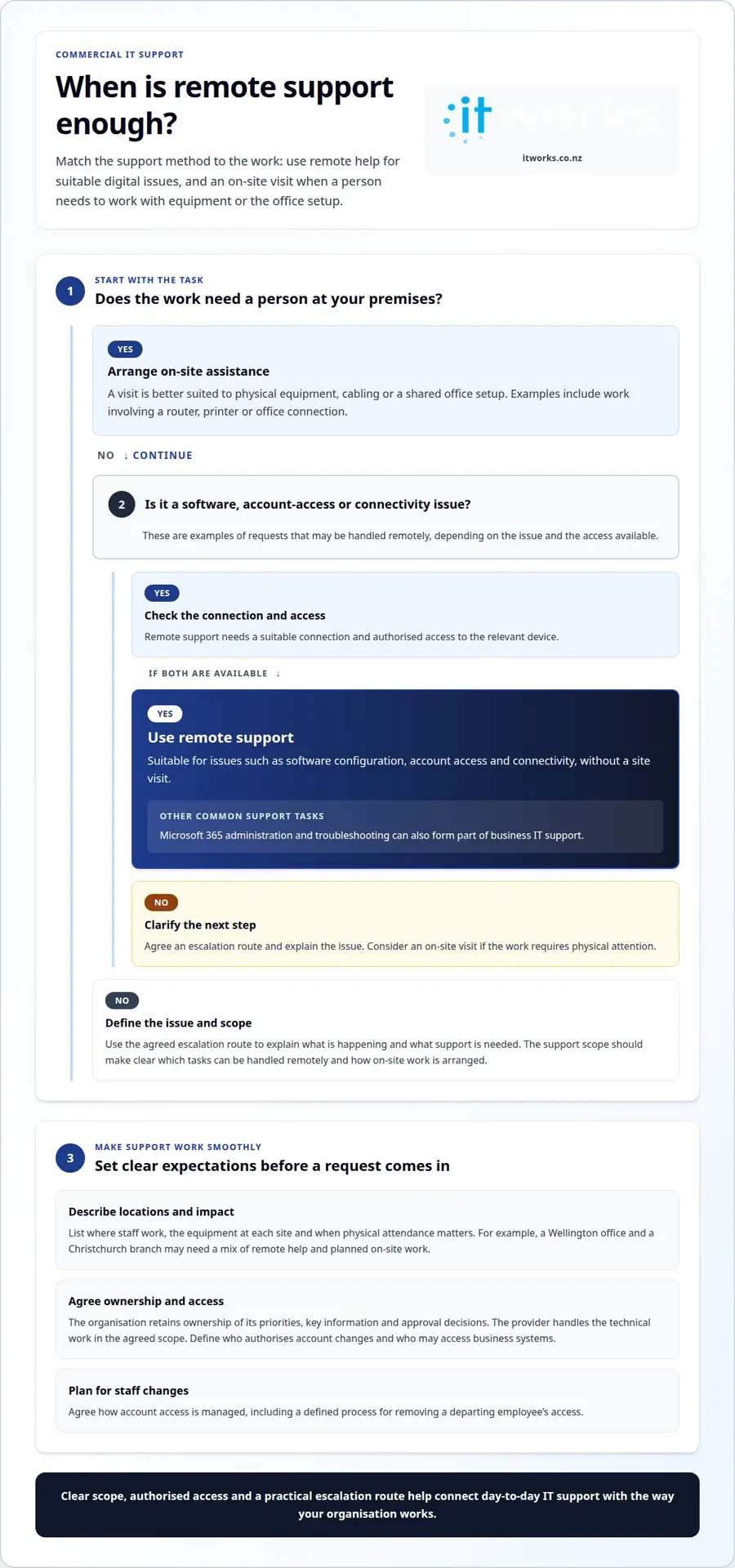
Business support can cover staff access, device setup, network troubleshooting, Microsoft 365 administration and cybersecurity. For example, a new employee may need a configured laptop, an account and access to shared files. Remote assistance suits many software and account issues, while a technician may need to visit when a router, printer or office connection needs physical attention.
Moving Business IT to the Cloud
A cloud move begins by listing applications, data locations, users and dependencies. The next step is deciding what to move, retain or replace, then planning access, data transfer and staff communication. For example, a team shifting shared documents into Microsoft 365 needs clear folder permissions and a migration sequence. Test access with a small user group before wider rollout.
Finding Local Commercial IT Support
Start by listing where staff work, such as a Wellington office and a Christchurch branch, then identify when physical attendance matters. Review the support model, approach to remote access and communication with business decision-makers. A clear scope explains how staff raise requests, which tasks can be handled remotely and how on-site work is arranged.
Outsourcing works best when responsibilities are explicit. The business should retain ownership of its priorities, key information and approval decisions, while the provider handles agreed technical work. Define who authorises account changes, who can access business systems and how staff information is handled. For example, remove a departing employee’s access through an agreed process, not informal follow-up.
Remote support can resolve software configuration, account access and connectivity issues without a site visit. It requires a suitable connection and authorised access to the relevant device. On-site assistance is better for tasks involving physical equipment, cabling or a shared office setup. A clear escalation route helps staff explain the issue and provide useful details from the outset.
Location matters when a fault affects shared equipment or an office network. A Wellington business with staff across several sites may need remote help with everyday requests and a planned visit for work involving local hardware. Describe each location, its equipment and the business impact of an outage. This gives support teams a practical basis for coordinating remote and in-person work.
Cloud services also change how support works. Staff may work from home, travel between sites or use different devices, so account access and file permissions need consistent management. During a migration, explain what is changing, where staff will find documents and whom to contact if access fails. A pilot with a representative team can reveal workflow issues before a wider rollout.
For organisations reviewing their service mix, discussing an IT support model can help connect remote and on-site needs with business priorities.
Support terms can also depend on the software arrangement. Proprietary software purchases often include some support, while additional support services, especially for enterprise applications, are usually available for an extra fee. In 1969, IBM began charging separately for mainframe software and services and stopped supplying source code. These distinctions make it useful to confirm what a provider’s service covers and what is billed separately.
Commercial IT Services Limited in Lusaka, Zambia, was founded in 2007 and is shown with 20 followers. When assessing a provider, consider its stated service scope and fit with your operating needs; its name or follower count alone does not establish which tasks are included, where support is available or how requests are handled.
How do I choose a commercial IT provider in New Zealand?
Choosing a provider involves more than assessing technical capability. The working relationship, transition process and visibility of ongoing work all affect how well support fits your organisation. For a Wellington business, consider how the arrangement will work after it begins, including how knowledge, decisions and service changes will be managed.
Set priorities before comparing proposals
Decide how technology support should fit your organisation’s management practices. Leaders may want regular updates on recurring issues, planned changes and decisions requiring approval. Agreeing on expectations early makes it easier to judge whether a proposed relationship gives decision-makers useful visibility without unnecessary reporting.
Decide who will be the main contact in your organisation. A named business contact can coordinate approvals and share relevant context, while department leaders explain how changes affect their teams. This avoids relying on informal messages scattered across email, meetings and individual conversations.
Assess the scope and expertise
Look closely at how work will be governed. A sound arrangement makes clear how proposed changes are documented, approved and communicated. Before a system setting changes, for instance, the responsible people should understand the reason, likely impact on staff and any decision management needs to make.
Consider how the provider will keep organisational knowledge up to date. Records of system decisions, key contacts and agreed processes help new staff understand how technology supports their work. Documentation also gives leaders a clearer basis for reviewing the arrangement as teams and business priorities evolve.
Understand security and accountability
Agree how access and information ownership will be managed throughout the relationship. The organisation should know who can authorise access, where administrative details are recorded and how changes are tracked. A manager approving access for a new role, for example, should be able to identify the business owner responsible for that decision.
Discuss how the provider will support an orderly handover if responsibilities change. A practical transition plan identifies the records, credentials and system information needed to maintain continuity. Clear ownership of those materials keeps the organisation informed and reduces dependence on knowledge held by one person.
Check communication and service fit
Agree how updates will reach the right people. A business leader may need a concise summary of open decisions, while staff need straightforward instructions when a change affects their daily work. Set out who communicates each update and which internal roles need to be involved before implementation.
Consider how the provider will distinguish urgent, business-impacting work from routine requests. A Wellington organisation may need an agreed way to escalate an issue affecting a shared office system. Clear escalation ownership tells staff where to direct the issue and who will coordinate the response.
Compare proposals and plan the transition
Review how a provider will start work, build organisational knowledge and introduce changes. A transition plan should identify decision-makers, required records and the order of agreed activities. This helps staff understand what to expect and lets leaders coordinate their involvement around normal business operations.
Finally, understand how the relationship can adapt or end. Read the agreement’s terms for reviews, changes and handovers, including how documentation and access information will be returned. These details help the organisation make informed decisions throughout the partnership, not just when choosing a provider.
How do commercial IT providers compare with in-house teams?
The choice affects more than who resolves technology issues. It shapes how an organisation plans capacity, manages priorities and keeps responsibility clear. A Wellington business can compare the two models by considering how each supports its operating rhythm, decision-making and future workload.
Internal knowledge and day-to-day context
An in-house team can take part in everyday planning and hear about operational changes as they happen. A manager, for example, might raise a new reporting need during a team meeting. That proximity can help staff connect technology decisions with internal processes and flag small concerns before they become larger project requirements.
Documenting business knowledge matters in either model. Record key workflows, system owners and approval steps somewhere accessible. This reduces reliance on informal conversations and helps the organisation maintain context when responsibilities change or a project involves several teams.
Specialist expertise and capacity
An internal model gives an organisation direct control over recruitment, role design and daily priorities. Capacity, however, depends on the people employed and the skills assigned to their roles. A commercial IT provider offers another option: agreed work can draw on external expertise without requiring every specialist skill to be an internal position.
Consider the type and rhythm of the work. A steady flow of staff requests may need a different structure from occasional infrastructure projects. Map recurring tasks, planned initiatives and periods of higher demand. This helps leaders assess whether internal roles, external support or a blend can meet the workload while keeping focus on core business responsibilities.
Continuity, ownership and communication
Both models need clear accountability. Decide who owns priorities, approves changes and communicates their effect to staff. A department leader might approve a business process change, while a designated technology contact coordinates implementation. Recording these responsibilities helps prevent overlapping work and unanswered decisions.
Also consider how the organisation will retain operational knowledge. Keep current records of system decisions, access processes and project outcomes. If an internal role changes or an external arrangement ends, these records give the next person a useful starting point. Documentation ownership and a planned handover should be part of the operating model.
Choosing a model that fits
Compare the models against the organisation’s preferred level of control and management involvement. An in-house arrangement requires leaders to oversee roles, priorities and professional development. An external arrangement requires clear scope management and regular communication. Neither removes the need for business leaders to set direction and make decisions.
A blended model can give routine coordination to an internal contact and use external support for agreed areas of work. Set boundaries for each role, including how requests are routed and competing priorities resolved. Review the arrangement when business plans or staffing needs change rather than assuming the original split will always fit.
To discuss how an external support model could fit your organisation, contact IT Works about your IT.
IT Works
IT Works helps organisations connect technology decisions with day-to-day operations and longer-term business priorities. Its Managed IT Services, Cybersecurity and Cloud Solutions can support infrastructure reviews, change planning and decisions about balancing internal and external IT responsibilities.
For example, an organisation planning to move business systems to the cloud can align the project with staff needs, security and ongoing support. IT Works also provides AI & Automation guidance for practical business applications, with a focus on responsible use and productivity.
Based in Wellington, IT Works supports local businesses and organisations throughout the region. If you’re considering infrastructure or support changes, talk to IT Works about your commercial IT strategy.
Make your next technology decision count
Technology planning works best as an ongoing leadership practice, not a one-off exercise. As priorities change, revisit which systems support your people, where processes create friction and which decisions need attention. This keeps future investment connected to practical business outcomes.
Before choosing a technical change, capture the outcome you want. If staff need easier access to shared information, for example, define what that means across roles and locations. Clear outcomes make it easier to assess options, agree responsibilities and evaluate whether a change helps.
A commercial IT partnership should make decisions easier to understand and manage. Bring the business challenge, the teams it affects and the result you want to achieve. That gives the conversation a useful starting point, whether you’re reviewing current arrangements or planning a change.
With a clear priority and the right people involved, your next technology decision can support a more focused, confident way of working.
Frequently Asked Questions
What does commercial IT mean?
Commercial IT means the technology and related support an organisation uses to deliver services and manage operations. A commercial IT environment may include staff devices, business software, networks and cloud accounts. For example, a Wellington consultancy might use shared document tools, client-management software and secure staff logins. The term describes technology used in a business context, rather than personal computing at home.