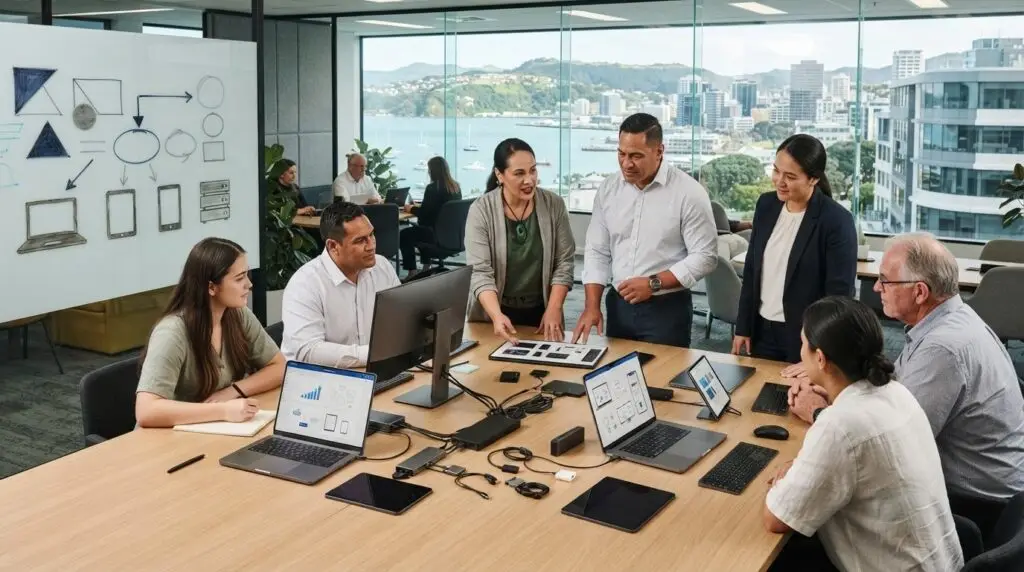
The right hardware is more than a device that meets today’s request. It needs to suit the people using it, work with existing systems and support future plans. That’s the challenge behind business hardware procurement nz: needs vary between teams, and a purchase that looks suitable upfront can create extra work to deploy, manage or replace.
Clear requirements help you choose equipment with confidence, check it will fit your technology environment and plan for more than the initial purchase. A repeatable process also makes decisions easier to explain and coordinate.
This guide shows how to plan, evaluate and manage hardware procurement around your organisation’s needs and technology strategy. You’ll learn how to define requirements by role, check compatibility, compare options against business priorities and plan for deployment, support and replacement. The aim is to choose equipment that supports productivity while remaining manageable over time.
Key Takeaways
- Start with the work the equipment needs to support, who will use it and how it fits your existing technology.
- Document requirements so you can compare options for compatibility, support and lifecycle needs, not just initial suitability.
- Use a repeatable business hardware procurement nz process, with clear responsibilities for review, approval, purchasing and deployment.
- Consider total ownership, including management and future replacement, alongside the initial purchase.
- Connect hardware choices to your technology roadmap, security priorities and operational plans.
Why business hardware procurement in New Zealand needs a clear plan
Business hardware procurement is the planning, sourcing and management of equipment to meet an organisation’s needs throughout its useful life. For organisations considering business hardware procurement nz, that means looking beyond the item being purchased to how it will support staff, systems and operational priorities.
Hardware affects how people complete everyday work, access business systems and collaborate. It can also influence how well an organisation maintains secure, reliable operations and adapts to growth. A device suited to one role may not suit another. Equipment that doesn’t fit the existing environment can add work during deployment and ongoing management.
A clear plan makes these decisions deliberate. Instead of buying only when a device fails or a need becomes urgent, identify requirements, coordinate purchasing and decide how equipment will be supported and eventually replaced. This connects procurement with the broader IT asset management lifecycle, from selection and acquisition through to use and retirement.
What counts as business hardware?
Business hardware includes equipment used to deliver or support organisational work. Common examples include laptops for staff, servers that support business systems and networking gear that connects devices and services. The right choice depends on the role, workload and existing technology environment, not a generic ranking of popular products.
Hardware and software subscriptions are related, but they are different procurement considerations. Equipment needs to work with the software and services your organisation uses, while subscription decisions have their own requirements, approvals and ongoing management. Considering them together helps identify compatibility needs without treating them as the same purchase.
Why procurement is more than choosing a device
A purchase becomes useful when the equipment is ready for day-to-day work. Consider how it will be configured, connected to existing systems, supported and managed after deployment. These details affect both the staff experience and the work required from internal teams.
Procurement also affects operations. Equipment that fits the environment and has a clear support plan can help an organisation maintain continuity as needs change. Rushed or inconsistent purchases, by contrast, can leave teams managing different equipment and requirements without a shared approach.
Start with the work your organisation needs to support, not a product list. Define who depends on the equipment and how the decision fits wider technology plans. That gives business leaders and technical teams a shared basis for evaluating options, approving a purchase and planning what happens after delivery.
How to define hardware requirements before you source equipment
Before asking suppliers for recommendations, agree on what the equipment needs to do and how you’ll assess whether an option fits. A clear brief keeps business hardware procurement nz grounded in actual work requirements, rather than personal preferences or a product list selected too early.
Start with roles, workloads and business priorities
Talk with staff and managers who understand the day-to-day tasks. Someone who relies on business applications and video meetings may need different equipment from a person who uses specialised peripherals or supports shared systems. Ask what work the equipment must support, who will use it and whether planned organisational changes could affect the requirements.
Separate essential capabilities from preferences. This gives decision-makers a consistent basis for comparing options and stops non-essential features from obscuring the business need.
Check compatibility, security and support needs
Document how proposed equipment needs to fit your current environment. Consider the operating systems and applications in use, required peripherals, network access and dependencies on existing systems. Include security and data-protection expectations, along with how staff will access the equipment and the information they need for their roles.
Decide what happens after purchase. Record who is responsible for configuration, deployment, maintenance and ongoing support. If responsibilities are not yet clear, list them as open questions rather than assuming they will be resolved later.
Turn discovery into an approved requirements brief
Use this sequence to turn the business need into a brief suppliers can respond to:
- 1. Describe the need. State the work or operational requirement prompting the purchase.
- 2. Identify users and roles. Gather input from affected staff and managers, including how and where the equipment will be used.
- 3. Record requirements. Note essential capabilities, compatibility, connectivity, security and support considerations.
- 4. Mark assumptions and gaps. List what needs confirmation, such as an application dependency or who will manage deployment.
- 5. Seek review and approval. Ask relevant business and technical decision-makers to confirm the brief before requesting recommendations.
For public-sector organisations, the New Zealand Government’s All-of-Government IT hardware contract provides information about its government procurement arrangement. Other organisations can apply the same discipline of documenting needs and decisions while following their own procurement processes.
A technology adviser can help check that requirements align with existing systems and planned priorities. For support shaping a brief, explore IT procurement and hardware advice from IT Works.
How to compare hardware options beyond the purchase decision
Once requirements are documented, assess each option against the same criteria. Headline specifications and familiar brands can start a conversation, but they don’t show whether equipment will suit your workloads, fit existing systems or be manageable after purchase. A consistent comparison makes trade-offs easier to see and explain.
Assess suitability, compatibility and support
Keep a simple comparison record for each option. Note whether it meets the agreed requirements, what still needs checking and who has confirmed the information. For example, if equipment must work with an existing application or peripheral, mark compatibility as confirmed only after someone has checked it.
- Requirements: Which essential business needs does the option meet, and which remain unmet?
- Compatibility: How does it fit with existing systems, applications, connectivity and peripherals?
- Setup and support: What configuration, deployment and ongoing management will be needed, and who will provide them?
- Lifecycle: How will the equipment be tracked, maintained and considered for future replacement?
Compare like with like. If one supplier has confirmed a detail and another has made an assumption, keep that difference visible and resolve open questions before approval. Assess each device or vendor against your organisation’s needs instead of assuming it is suitable.
Consider the equipment lifecycle and ownership
Use total ownership as a planning lens, not just a way to assess the purchase. Consider the work involved in sourcing, deployment, day-to-day management and eventual replacement. The best-fit option meets the agreed requirements and can be supported.
Plan how equipment will be recorded in an asset inventory and how changes will be captured, such as a device being assigned to another user or retired. Clear records help teams understand what they have and support future planning. The New Zealand Government’s digital investment and procurement principles offer a reference point for considering procurement in a wider digital context.
For business hardware procurement nz, this approach helps decision-makers weigh immediate suitability against the effort involved in deployment and ongoing management. If a comparison raises questions about how an option fits your wider technology plans, discuss hardware procurement advice with IT Works.
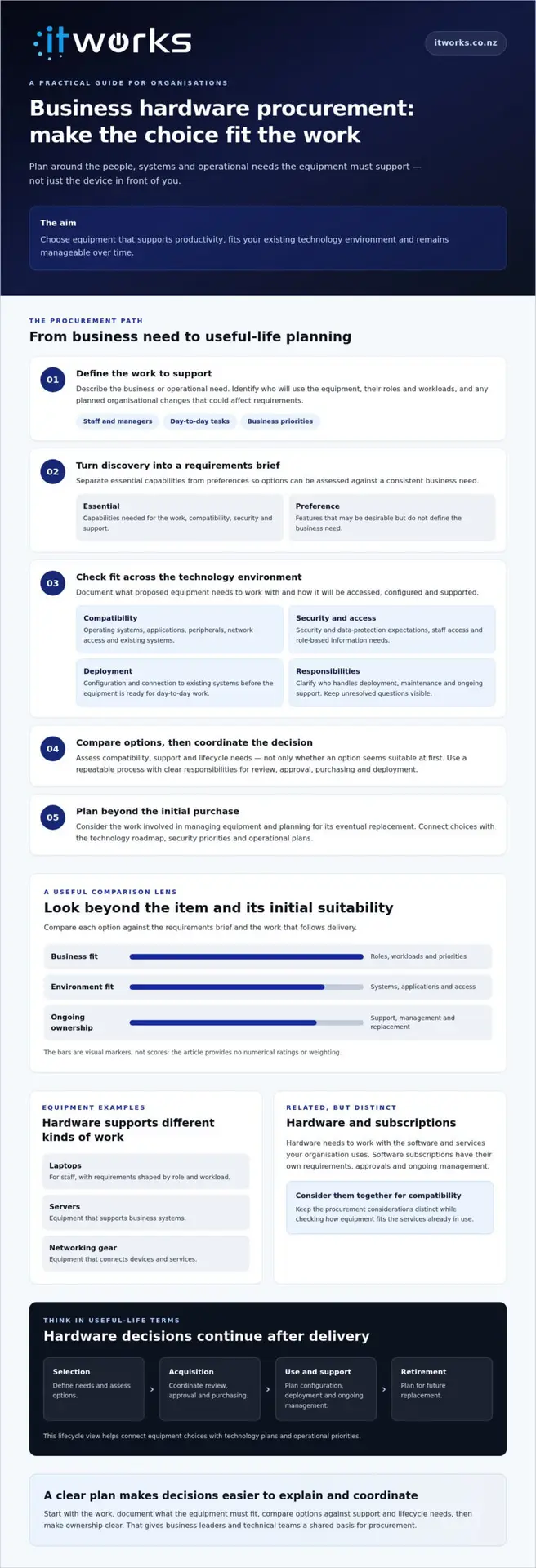
A practical business hardware procurement workflow from approval to deployment
A repeatable workflow makes responsibilities visible and reduces the risk of leaving deployment tasks until equipment arrives. Treat approval, sourcing and rollout as connected steps, with a clear owner for each decision.
Coordinate sourcing, approvals and delivery
Use the agreed requirements brief to request comparable information from suppliers. Keep evaluation notes and approvals together so decision-makers can see why an option was selected, which requirements it meets and what still needs checking. Confirm organisation-specific purchasing rules or approval thresholds with the people responsible for them.
- Confirm the need: The business owner or manager explains the operational requirement and confirms its priority.
- Review the technical fit: The technical reviewer checks compatibility, security considerations and support implications.
- Compare and recommend: The person coordinating procurement gathers supplier information and records the rationale for the preferred option.
- Approve the decision: The authorised decision-maker confirms the purchase after outstanding assumptions have been resolved or accepted.
- Coordinate delivery: The purchasing contact agrees delivery and implementation arrangements with those responsible for deployment.
Before confirming an order, check who will receive the equipment, prepare it for use and communicate with affected staff. Make delivery timing and dependencies on other systems or teams clear to everyone involved.
Prepare deployment and ongoing management
Plan the handover before equipment reaches its users. Confirm how it will be configured, how staff access will be arranged, what data or settings need to be handled and who will provide ongoing support. Tasks depend on your systems and internal processes, so validate them with the people responsible rather than relying on a generic checklist.
Update asset records when equipment is assigned, and clarify support responsibilities after deployment. Staff should know what is changing, when they can expect to use the equipment and where to raise questions through the organisation’s agreed support channels.
Deployment check: Confirm the requirements and approval, supplier and delivery arrangements, configuration and access plan, asset record, support handover and staff communication. After rollout, review whether the equipment meets the original business need and record any follow-up actions.
Adapt the process to your organisation’s approval structure and technical environment. A clear handover between business decision-makers, procurement and technical teams keeps the purchase connected to operational needs.
Make hardware procurement part of a longer-term technology strategy
Hardware decisions are more useful when they support the organisation’s direction, not just an immediate request. A technology roadmap helps leaders consider how equipment needs relate to operational priorities, security plans and existing systems. This puts procurement into broader planning instead of treating every purchase as a separate decision.
Connect procurement with the wider technology environment
Consider how equipment will fit with the services and infrastructure your organisation already relies on. A laptop purchase, for example, may need to suit the working environment, including Microsoft 365 where it is in use, as well as relevant security and support arrangements. Server or networking equipment may need to be considered alongside infrastructure management and planned changes to business systems.
Coordinating equipment decisions with managed IT planning can clarify who will oversee hardware after deployment and how it fits the ongoing technology environment. It can also bring procurement timing into discussions about maintenance, security priorities and future requirements. For an overview of how ongoing technology support fits into organisational planning, see the Guide to Managed IT Support for New Zealand Organisations.
Know when to involve a technology partner
Advice may be useful if teams have conflicting requirements, compatibility is uncertain or responsibility for managing equipment after purchase is unclear. A technology partner can connect business needs with technical review, sourcing, deployment and ongoing management while keeping decisions aligned with the organisation’s roadmap.
IT Works is a New Zealand-based technology partner offering procurement and hardware alongside managed IT, cybersecurity, infrastructure management, and IT strategy and consulting. Its strategic and operational perspective can help organisations consider these areas together, without deciding on a device or supplier before requirements are understood.
For business hardware procurement nz, review your documented requirements, note any changes in business priorities or systems, and clarify unresolved questions before the next purchasing decision. This preparation helps keep equipment choices connected to how your organisation intends to work and grow.
Talk to IT Works about your technology strategy and hardware procurement priorities.
Make your next hardware decision count
Effective business hardware procurement nz starts with the work your organisation needs equipment to support. Define requirements with staff and technical teams, check compatibility with existing systems, and compare options against agreed needs rather than brand familiarity or headline specifications.
Keep the full equipment lifecycle in view. Plan for approval, sourcing, deployment, support and future replacement, with clear responsibilities at each stage. This connects the purchase to operational needs, security priorities and your wider technology roadmap.
IT Works supports organisations across New Zealand with procurement and hardware sourcing, technology strategy and managed IT services. If requirements or support responsibilities are unclear, discussing them before the next purchase can help bring the right people and priorities together.
With a considered plan, hardware decisions can support your people and business priorities today while giving you a clearer foundation for what comes next.
Frequently Asked Questions
What is business hardware procurement?
Business hardware procurement is the organised process of identifying what an organisation needs, evaluating suitable equipment, sourcing it, and coordinating deployment and ongoing management. It’s broader than placing an order. Start by defining who will use the equipment, what work it must support, and how it needs to fit existing systems and support arrangements. Planning these stages together connects the purchase with its use and care over time.
How do I choose the right hardware for my business?
A sound approach to business hardware procurement nz starts with staff roles and workloads, not a shortlist of popular devices. Ask users and managers what tasks the equipment must support, then separate essential requirements from preferences. Check compatibility with current applications, systems and connectivity, along with security needs. Compare suitable options and the setup and support each requires. Confirm assumptions with relevant technical advisers rather than relying on specifications alone.
What should a business consider before buying laptops or servers?
Start by defining what the laptops or servers need to support and who will use or manage them. Consider compatibility with existing systems and applications, connectivity, security, configuration and support ownership. Include lifecycle planning, such as how equipment will be tracked and considered for future replacement. Requirements vary by role and environment, so document them before asking suppliers for recommendations. This gives technical reviewers a clear basis for assessing whether proposed equipment is suitable.
How much should a business budget for hardware procurement?
There’s no single budget figure that suits every organisation. Requirements depend on the equipment needed, how it will be deployed and the support and management arrangements involved. Document the full scope, including what happens after purchase, then request comparable information from suppliers. Consider ongoing management alongside the initial purchase, and make assumptions or unknowns visible before approval. This helps decision-makers assess options against organisational priorities without relying on a headline figure alone.
Can a technology provider help with business hardware procurement?
A technology provider may help clarify requirements, assess compatibility with existing systems, coordinate sourcing and plan deployment. Responsibilities vary by provider and engagement, so confirm what is included and who will manage each step. IT Works offers procurement and hardware alongside technology strategy and managed IT services. If your organisation needs help connecting equipment choices with operational priorities, discuss your requirements with a provider and decide whether its support fits your needs.
What happens after business hardware is purchased?
After purchase, equipment may need configuration, user access setup and deployment, followed by asset recording, staff communication and a support handover. Confirm who owns each task so the transition into everyday work is clear. Once equipment is in use, review whether it meets the original requirements and note any gaps or follow-up needs. This feedback can help refine support arrangements and inform future procurement planning.
Should hardware procurement be included in an IT strategy?
Including hardware procurement in technology planning can help align equipment choices with business priorities, security considerations, infrastructure and support needs. The right level of planning depends on the organisation and the decisions ahead. A practical roadmap can make upcoming requirements visible and help teams coordinate purchases with related technology plans. Review what equipment may be needed, which systems it must work with and who will manage it, then update priorities as organisational needs change.