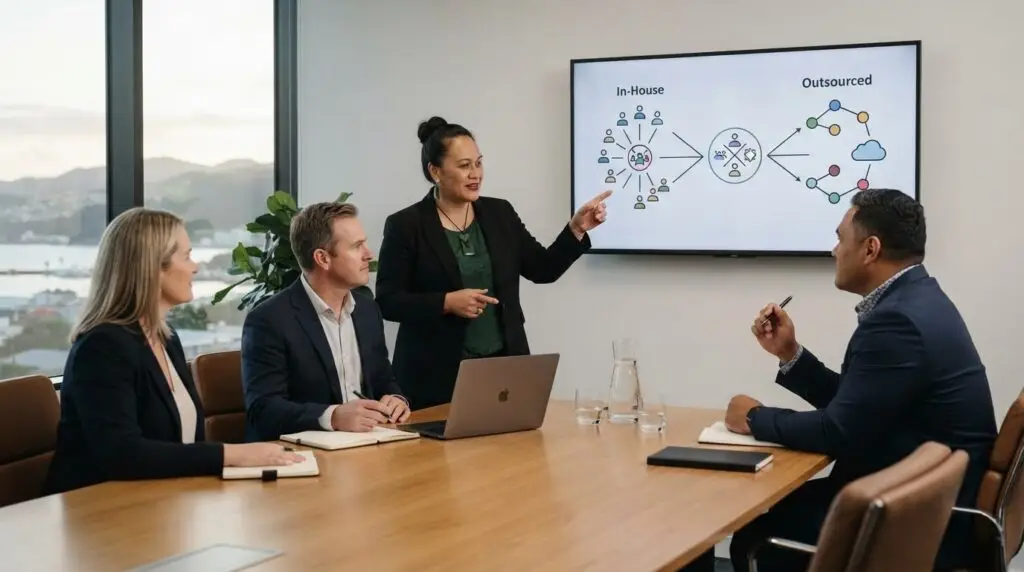
Hire your first internal IT person when technology work has become a consistent operational need and you can define what the role will own. Deciding when to hire your first internal IT person depends less on staff numbers than on the regularity of support needs, the importance of secure and reliable systems, and the value of clear internal ownership. A practical, job-related task can help you assess how candidates approach the work.
It’s understandable to want someone who can resolve day-to-day issues and help the organisation make sound technology decisions. The role needs a clear scope, though, so candidates understand what success looks like and what falls outside their responsibilities.
This article explains how to assess a candidate’s practical fit, structure an interview task, and set expectations if the position starts as an interim role. You’ll also find guidance on defining responsibilities and reviewing whether the role meets the organisation’s needs.
Key Takeaways
- Use a job-related task to see how a candidate approaches realistic IT work, not just how they describe their experience.
- Set clear responsibilities, resources and review points so an interim appointment has structure and purpose.
- Assess the full employment cost, including KiwiSaver and leave, alongside the workload the role needs to cover.
- Compare full-time, part-time and hybrid arrangements against your organisation’s day-to-day needs and longer-term priorities.
- Build continuity into the role with shared knowledge, documented processes and clear support for work beyond one person’s capacity.
3. What IT tasks should a first internal IT hire handle?
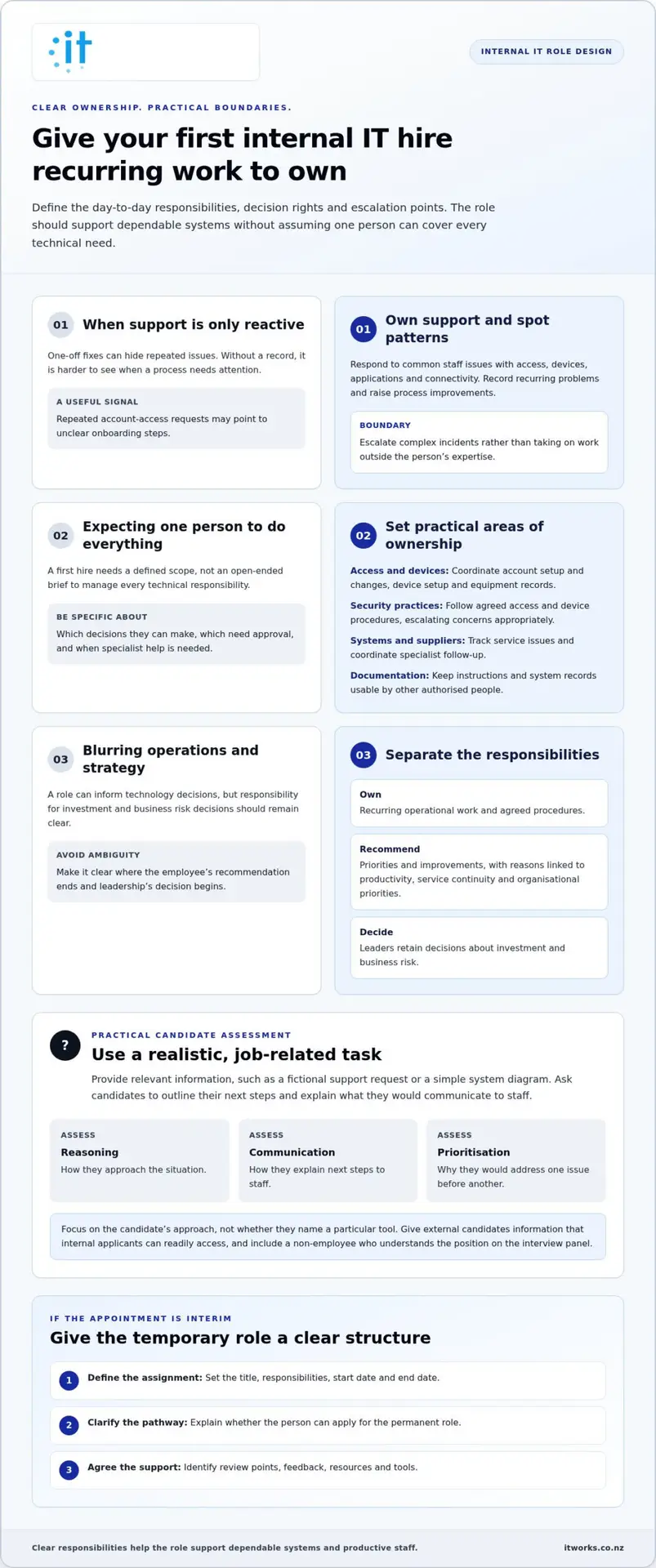
A first internal IT hire should own recurring work that keeps people productive and systems dependable. For example, they could coordinate staff access, resolve common Microsoft 365 issues and track recurring technology problems. Define the role around business needs, not an assumption that one person can manage every technical responsibility. Agree which decisions they can make, which require approval, and when specialist help is needed.
Start with day-to-day support. The person can help staff troubleshoot access, devices, applications and connectivity, then record recurring issues. That record helps distinguish a one-off problem from a process that needs improvement. For example, repeated account-access requests may point to unclear onboarding steps. Set boundaries for complex incidents so the employee knows when to escalate rather than take on work outside their expertise.
Security and systems administration are also common areas to define. Depending on the role, responsibilities could include managing user access, coordinating device setup, maintaining asset records and following agreed backup processes. Give candidates realistic scenarios, such as explaining how they’d respond to a departing employee’s account or a lost laptop. Assess their reasoning, communication and prioritisation, not just whether they name a particular tool.
- Support: Respond to common staff issues and identify recurring causes.
- Access and devices: Coordinate account setup, changes and equipment records.
- Security practices: Apply agreed access and device procedures, escalating concerns appropriately.
- Systems and suppliers: Track service issues and coordinate follow-up with relevant specialists.
- Documentation: Keep instructions and system records usable by other authorised people.
Use a short, job-related interview task to assess these responsibilities. Give external candidates relevant information that internal applicants can readily access, such as a fictional support request or a simple system diagram. Ask each candidate to outline their next steps and explain what they’d communicate to staff. Include a non-employee who understands the position on the interview panel to bring another perspective to the assessment.
Separate operational ownership from strategic decisions. A first hire might identify outdated processes, recommend priorities and prepare options, while leaders retain decisions about investment and business risk. For example, ask the candidate to review a sample list of technology issues and explain which they’d address first. Look for a clear rationale linked to staff productivity, service continuity and organisational priorities.
If the appointment is interim, define its title, responsibilities, review points, and start and end dates. Explain whether the person can apply for the permanent role. Schedule feedback at agreed milestones and clarify the available resources and tools. These steps make the temporary assignment clear, give the employee a fair basis for success, and help the organisation assess the role before making longer-term decisions.
4. What are the total costs of hiring an internal IT employee in New Zealand, including KiwiSaver and leave?
Estimate the total employment cost, not just the salary. Start with the proposed gross salary, then add employer KiwiSaver contributions, paid leave, recruitment, equipment and onboarding. The actual budget depends on the role, employment terms and the support the person needs. List each cost clearly so decision-makers can see what the position requires.
For KiwiSaver, include the employer contribution in the payroll estimate rather than treating it as part of the employee’s take-home pay. The amount depends on the employee’s circumstances and applicable payroll settings. Ask your payroll adviser to calculate the employer cost using the intended salary and the employee details available during hiring. Record that estimate separately from gross salary so the budget does not understate the cost.
Leave also affects capacity and cover. Plan for paid leave and public holidays as they apply to the employment arrangement, alongside the work that must continue during absences. For example, if the IT employee is the only person handling account access, assign an authorised backup and document the process. Cover may require another employee’s time or external support, so include the arrangement in your operational plan.
Other costs can arise before the new hire starts. Include recruitment activity, interview time, equipment, software access, induction and role-specific training. If you plan to outsource candidate sourcing, specialist agencies like TrustTech Recruitment can help find qualified technical professionals, though recruitment fees should be factored into your upfront budget. A suitable laptop is only part of the setup: the employee may also need access to administrative systems, internal documentation and relevant training. Identify each requirement from the job description, then confirm whether it is already available or needs to be budgeted.
- Employment: Gross salary, employer KiwiSaver contributions and leave-related costs.
- Hiring: Recruitment activity and time spent by managers and interviewers.
- Setup: Equipment, access, induction and role-specific training.
- Continuity: Cover arrangements for leave, specialist work or competing priorities.
Use a worksheet to compare the planned role with the work it will cover. List each cost once, note whether it recurs or is a setup cost, and identify who is responsible for validating it. Then compare the total with the expected business value, such as fewer staff delays or clearer ownership of technology decisions. This makes assumptions easier to discuss before making an offer.
For a broader view of how technology capacity fits your business plans, consider a technology strategy discussion. A clear estimate helps you weigh the cost of an employee against other ways of organising support, without confusing salary with the full cost of the role.
Include a non-employee who understands the position on the interview panel to provide an independent perspective, and consider a job-related task or programme for candidates. Internal candidates should give clear examples of what they did, how it helped their team or organisation, and the outcome. Set expectations for success, including timelines, resources and organisational tools. Use fair hiring practices and avoid giving candidates the impression that a position is promised or guaranteed.
5. Should a first IT hire be full-time, part-time, or a hybrid internal and outsourced role?
Choose the arrangement that matches the work your organisation needs covered. A full-time hire may suit a business with steady staff support, regular system administration and ongoing technology projects. Part-time capacity can fit a narrower workload, such as coordinating access, equipment and routine requests. A hybrid arrangement combines internal ownership with external help for specialist or additional work.
Map the workload before deciding. Review recurring support requests, planned projects, system administration and the time leaders currently spend coordinating technology. For example, a small organisation with occasional device setup but complex cloud changes may need internal coordination alongside specialist project support. A busy support queue, by contrast, may call for more regular internal availability.
Full-time employment gives staff a consistent internal contact and keeps business context close to day-to-day decisions. It can also concentrate responsibility in one person. If the role includes routine support, security coordination, supplier liaison and strategic planning, check that its priorities are realistic. The job description should distinguish essential duties from work handled by specialists.
Part-time work can provide focused ownership without assigning a full working week to technology tasks. Define availability and response expectations clearly, especially if staff work across different locations or schedules. For instance, set a process for logging requests and deciding which issues need attention first. Set part-time hours according to actual demand, not simply the time available in someone’s calendar.
A hybrid model can balance internal knowledge with access to broader expertise. The internal employee can understand staff needs, coordinate work and maintain business priorities. External specialists—such as managed service teams like Carolina IT Group—can contribute to complex security, cloud or infrastructure work when required. Agree who owns each task, how information is shared, and who makes decisions. Without clear boundaries, requests can fall between internal and external responsibilities.
- Full-time: Consider it when ongoing support and administration need regular attention.
- Part-time: Consider it when responsibilities are focused and demand is manageable.
- Hybrid: Consider it when the business needs internal coordination and specialist capacity.
Compare the options against the outcomes the role must deliver. Identify essential coverage, specialist work, decision-making responsibilities and continuity during leave. Then review the arrangement after an agreed period, using staff feedback, outstanding work and project progress. If priorities shift, adjust responsibilities or capacity rather than expecting one person to take on every new task.
The best fit gives technology clear ownership while matching the workload. A written responsibility map makes the choice practical: name the internal owner, identify specialist tasks, and set out how requests move between them. It also gives candidates an accurate picture of the role before they accept it.
5. What risks arise from relying on one internal IT person, and how can a business reduce them
One internal IT person can build valuable knowledge of your systems, but concentrating access and expertise creates dependencies. If they’re unavailable, an account change, staff setup or system issue may have to wait. If they leave, colleagues may not know which supplier manages a service or where essential instructions are stored. Identify these dependencies before they disrupt routine work.
Start by recording essential systems and responsibilities. For each service, document its business purpose, owner, supplier contact, access process and support arrangements. Include examples such as Microsoft 365 administration, internet services, backups and device management where relevant. Store the records somewhere authorised colleagues can access, rather than relying on a personal inbox or local desktop.
Access needs deliberate oversight. Keep administrative accounts separate from everyday user accounts, and limit access to people who need it for their duties. For a sensitive change, such as removing a departing employee’s access, define who approves and who carries out the work. A second authorised reviewer can help catch mistakes and maintain accountability.
Absence planning matters too. Name a trained backup for essential processes, then give them access to clear instructions and appropriate systems. For example, a manager might approve a new starter’s access while another authorised person completes the setup. Record who handles urgent decisions, routine requests and specialist work so staff know where to direct each issue.
- Document: Keep current system records, supplier contacts and operating procedures.
- Share knowledge: Have the IT employee explain key processes to an authorised colleague.
- Review access: Check who can access administrative accounts and why.
- Plan continuity: Assign cover for leave, departure and unexpected unavailability.
Test the arrangements with practical scenarios. Ask the backup person to follow the documented process for a new starter, a locked account or a supplier query. Note unclear steps, missing permissions and decisions that still depend on one individual. Update the instructions after the exercise, then tell the relevant people about the revised process.
Knowledge transfer also supports a smooth handover when responsibilities change. Keep a record of open projects, recurring issues, key decisions and upcoming renewals. Use shared business records rather than personal notes, and agree who reviews them. This helps a new employee or temporary cover understand what needs attention without having to reconstruct months of context.
Finally, define the first hire’s limits. Document which issues they can resolve, which require leadership approval, and when specialist expertise is appropriate. This reduces dependence on one person’s judgement and gives managers a clearer view of unresolved work. Review the arrangements as systems, suppliers and business priorities change.
5. Internal candidate
An internal applicant already knows your people, systems and priorities. That familiarity can help them connect the role with real business needs, but it doesn’t replace a fair assessment of their skills. Use the same application process and require the same materials from internal and external candidates. These might include a resumé, a written response and a job-related task.
Set out the role clearly before interviews begin. Share the job description, key responsibilities and performance expectations with every applicant. Give external candidates relevant information that internal candidates can readily access, such as a description of current systems or upcoming projects. This creates a consistent basis for assessment, rather than rewarding access to background information alone.
Ask internal applicants to prepare as they would for any formal interview. They should review the job description, update their resumé and gather examples of relevant achievements. For each example, they can explain what they did, how it helped their team, and what changed as a result. Specific evidence is easier to assess than general claims about being helpful.
- Business context: Review the organisation’s vision, mission, goals and current technology priorities.
- Role understanding: Learn about the team’s projects, workload and likely challenges.
- Evidence: Prepare examples that show initiative, communication and sound judgement.
- Professional approach: Treat the interview formally, even if everyday workplace interactions are casual.
Use a practical task that reflects the work. For example, provide a fictional support request and ask the applicant to outline their response, priorities and communication. Assess their reasoning and how they explain decisions, not just their familiarity with existing systems. If they lack direct experience with a responsibility, invite them to describe how they’d approach it and what information they’d need.
Internal knowledge can strengthen an interview, but applicants should focus on their own fit. Ask about their understanding of staff needs and business goals, then invite examples of how they’d apply that insight. They can ask about the role’s challenges, resources and measures of success. Avoid turning the discussion into comparisons with colleagues or opinions about who else suits the position.
If the role is interim, explain its title, responsibilities, review points and expected timeframe. Clarify whether the interim employee can apply for the permanent position, and avoid language that could imply the appointment is guaranteed. Give structured feedback during the assignment. Consistent expectations help the employee understand the opportunity and help managers assess performance fairly. To discuss how to shape a fair hiring process, consider this internal IT hiring approach.
IT Works: Managed IT Services
Based in Lower Hutt, IT Works supports Wellington organisations that need dependable technology support alongside clear ownership and planning. Managed IT Services can complement an internal hire, giving your employee room to focus on staff, systems and business priorities while wider IT needs are managed.
IT Works also provides Cyber Security, Cloud Solutions, and AI & Automation. These services can help organisations align technology with business goals and build capability around an internal role.
Contact IT Works to discuss your IT needs and how the right support could fit your organisation.
Make your next IT decision with confidence
Deciding when to hire your first internal IT person is also an opportunity to shape how technology supports the organisation as it grows. Treat the role as part of an evolving operating model, not a permanent answer to every future need. As priorities change, revisit its responsibilities, decision-making boundaries and expertise requirements.
A useful next step is to write down what success should look like for the role. Link those outcomes to business priorities, then use them to guide recruitment, onboarding and regular conversations. This keeps the hire focused on meaningful work and gives leaders a basis for adapting the position as the organisation develops.
IT Works can help you consider how internal capability fits alongside broader technology needs. To discuss your organisation’s priorities and next steps, contact IT Works about your IT needs.
With clear expectations and room to adapt, your technology capability can grow alongside the business.
Frequently Asked Questions
What signs show a New Zealand business needs its first internal IT employee?
Recurring coordination work can help show when to hire your first internal IT person. For example, managers may regularly arrange staff access, follow up system issues or translate business needs into technology decisions. Track these tasks and who handles them. If consistent internal ownership would improve coordination, staff experience or planning, define the role’s priorities before recruiting.
How many employees or devices typically justify hiring an in-house IT person?
There’s no universal employee or device count that determines when to hire your first internal IT person. Workload and complexity matter more than headcount alone. A business with a modest team but specialised systems may need regular technical oversight, while a larger organisation with straightforward needs may not require a full-time role. Consider support demand, locations, projects and required expertise, then match capacity to those needs.
Should a small business hire internal IT or use a managed service provider in New Zealand?
Choose internal IT, managed support or a combination by considering which responsibilities need close business knowledge and which require broader technical capacity. An internal employee can coordinate priorities and understand staff workflows. A managed provider can act as an outsourced IT department, covering support, monitoring, security, cloud, infrastructure and strategy. IT Works supports co-managed arrangements with existing internal IT staff, so responsibilities can be shared deliberately.