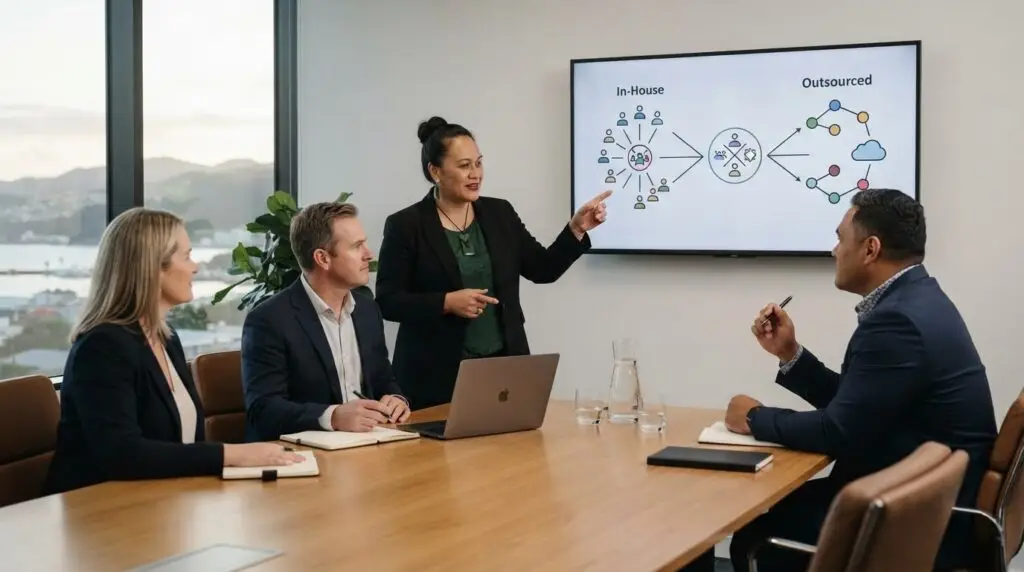
Break-fix support charges for each service call or repair, while managed IT provides defined, ongoing services for a recurring fee. For businesses transitioning from break-fix to managed IT, start by identifying the support your organisation regularly needs, then agree on the scope and expectations for ongoing service.
Pricing matters when comparing the two models, but the change is also about how support is delivered. Break-fix responds to faults as they arise; managed IT adds monitoring, maintenance and more proactive planning. A clearly defined service helps everyone understand what is covered and how support will work.
This article explains how to compare the models, recognise when the change makes sense and prepare your team and clients. You’ll also learn how to define service boundaries, set expectations and use automation to support a more reliable, sustainable approach.
Key Takeaways
- Move from charging for individual fixes to clearly scoped, recurring services that set out what clients can expect.
- Review recurring support needs and client records to shape service packages around real demand.
- Prepare your team and clients with documented IT environments, clear milestones and practical communication.
- Define what each service covers, including support boundaries, maintenance, security and backup responsibilities.
- Use monitoring, automation and good documentation to spot issues earlier and deliver support more consistently.
What is the difference between break/fix and managed services?
Break-fix support bills for individual calls or repairs; managed services set out ongoing responsibilities and recurring fees. In New Zealand, compare providers by scope, security practices, reporting and service boundaries, and clarify how personal information and access to business data are handled. Transition timing depends on assessment findings, onboarding milestones, tools and client readiness.
Compare reactive and proactive support
Compare what each model covers before choosing a transition path. Break-fix starts when someone reports a fault, while managed IT includes planned maintenance and monitoring to help address issues earlier. For example, a repeated email outage may prompt a repair under break-fix; managed support can track the recurring issue and plan preventative work.
- Review client histories in your service or customer management system. Group requests by issue, frequency and affected systems. Repeated account access requests or device faults can point to demand for consistent support, rather than isolated repairs.
- Assess which clients are suited to a managed agreement by comparing their recurring needs, environment and readiness for planned support. Use those patterns to prioritise conversations instead of assuming every break-fix client needs the same package.
- A gradual change may suit some organisations. For example, introduce managed monitoring and security while continuing to handle other work separately. Keep responsibilities clear during the overlap so recurring services are not confused with separately billed repairs.
- Preserve relationships with clients who cannot afford a managed package. Explain the difference in scope, and keep an appropriate break-fix arrangement where practical. If that model no longer fits your capacity, discuss a suitable transition or referral without implying the client receives managed coverage.
Define managed service offerings and pricing
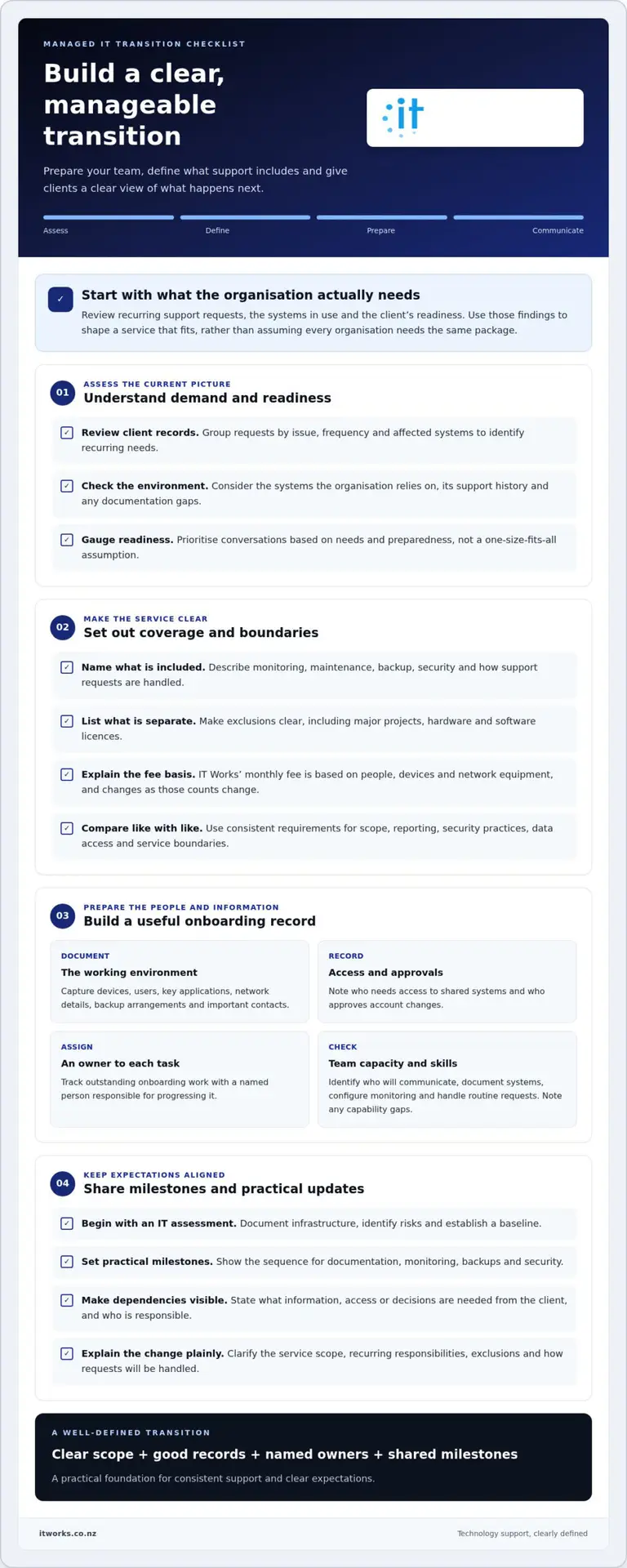
Define the core service before adding optional work. A managed plan can include monitoring, backup, security and maintenance, with the exact scope set out in the agreement. IT Works builds its monthly fee around people, devices and network equipment. List exclusions, such as major projects, hardware and software licences, separately, so clients can see what the agreement covers.
- Write down the service boundary for each package. State which systems are monitored, what maintenance is included, how support requests are handled and which work is separate. A written scope helps clients compare service models without relying only on headline fees.
- Choose a pricing structure that reflects the service and the organisation’s environment. IT Works’ monthly fee is based on people, devices and network equipment, with the total changing as those counts change. Describe any separately billed work clearly so clients know what to expect.
- When comparing managed IT options in Wellington or elsewhere in New Zealand, use the same requirements for each proposal. Compare the scope for monitoring, backup, security, reporting and exclusions, then review the responses side by side. Check that the proposed controls and access arrangements suit your organisation’s data and operational needs.
Preparing resources, expertise and clients for the transition
Moving to managed support can reveal gaps in documentation, team capacity and expectations. Assess the main risks before setting a transition date, including unclear service boundaries, missed onboarding tasks and misunderstandings about what changes.
Address client objections transparently
Respond to concerns by explaining the change in scope, process and billing plainly. If a client questions recurring fees, show which planned work and ongoing responsibilities the agreement covers. Don’t promise fewer issues or faster fixes; explain how monitoring and scheduled maintenance change the way support is delivered.
- List likely objections before client conversations. A client may prefer paying only when an issue occurs or worry that a monthly agreement includes work they do not need. Explain the included services, exclusions and how requests will be handled.
- Assess each client’s readiness and operational needs. Review the systems they rely on, recurring support requests and known documentation gaps. If the client isn’t ready to move, discuss a suitable break-fix arrangement while keeping the differences in coverage clear.
Onboard clients and manage relationships
Begin onboarding with an IT assessment that documents infrastructure, identifies risks and establishes a baseline. Use the findings to set practical milestones for monitoring, backups and security. Share the sequence with the client, including what information or access their team needs to provide.
- Check your team’s capacity and skills against the proposed work. Identify who will communicate with clients, document systems, configure monitoring and handle routine requests. Record gaps in expertise or process, then decide whether training, automation or revised workloads will address them.
- Create an onboarding record for each client. Capture devices, users, key applications, network details, backup arrangements and important contacts. For example, note which staff need access to a shared business system and who approves account changes. Assign an owner to each outstanding task.
- Agree on milestones and share concrete progress updates. Confirm when documentation is complete, monitoring begins and backup arrangements are reviewed. If a task depends on client access or a decision, name the requirement and responsible person instead of leaving it open-ended.
- Review the relationship during the transition, not only at renewal. Discuss whether the agreed scope matches actual needs and record decisions for both teams. This gives clients a clear way to raise concerns and helps staff spot operational gaps early.
What services should a Break-Fix provider define when moving to MSP?
Define support boundaries, coverage and escalation before offering managed agreements. These details help clients understand how incidents are handled and what happens during downtime.
Review break-fix model limitations
Map the limits of the existing break-fix arrangement before changing it. Break-fix responds to reported faults, so planned maintenance and monitoring may be outside its scope. For example, a repair may cover a failed laptop but not routine checks across the wider network. Identify recurring work and clarify which tasks need a separate agreement.
Define fixed-fee support agreements
Set the scope before describing an agreement as fixed-fee or “all-you-can-eat”. Define covered users, devices, remote support, maintenance and exclusions. An agreement might include ongoing monitoring but treat additions, moves and changes separately. Spell out how unusual projects or new equipment are handled, so a fixed fee doesn’t imply unlimited work across every system.
Set response times and SLAs
Write service-level agreements around priorities, response expectations and escalation paths. Distinguish the time to acknowledge an incident from the time needed to resolve it, as diagnosis can depend on access, suppliers or the fault’s complexity. State support hours, remote and on-site arrangements, and how critical issues are escalated. Avoid promising a resolution time your team cannot control.
- List the services included in each agreement, such as monitoring, routine maintenance, user support and security tasks. Name the systems covered, then identify exclusions in plain language. Clients should be able to tell whether a request is included before submitting it.
- Decide how the service handles out-of-scope requests. For example, explain how a major network change is assessed and approved separately from routine support. Record who authorises the work and how its effect on existing services will be communicated.
- Set incident priorities according to business impact. A printer fault affecting one user is different from an outage affecting a shared business system. Explain how clients report each issue, what information to provide and how your team confirms its priority.
- Document coverage carefully. If support is available 24x7x365, state which incidents qualify and how clients reach support. If after-hours work is excluded, make that boundary visible before agreement, rather than leaving clients to infer coverage.
- Review the agreement against your team’s capacity before offering it. Check that monitoring, maintenance and support commitments fit available skills and processes. A clear service definition makes ongoing work easier to plan and helps prevent break-fix requests from disrupting managed support.
How important is technology and automation in making the transition to MSP successful?
Choose tools that help your team manage client infrastructure consistently. Remote monitoring, service records, backup checks and security tasks should support one clear operating process.
Identify required technology tools
Map operational tasks to tools before investing in new systems. Remote monitoring and management tools track client environments and help teams spot issues. Professional services automation or customer relationship management systems organise service histories, requests and agreements. Add backup, security and documentation tools to cover other needs.
- List the information your team needs for each client, such as devices, users, network details and key applications. Keep it in a shared documentation system, with a named owner responsible for updates after changes.
- Use monitoring to identify issues across client environments and guide follow-up. Start with practical alerts, such as a device going offline or a backup task reporting a problem. Set a process for reviewing alerts, assigning work and recording outcomes.
- Connect backup checks to a repeatable review process. Record which systems are covered, when the latest successful backup was reported and who follows up on exceptions. Backup tools support recovery planning, but staff still need clear procedures and current documentation.
- Bring security tools and maintenance tasks into the same operating rhythm. For example, define who reviews security alerts and where actions are recorded. Automation can reduce manual steps, but assign a person to review exceptions rather than relying on alerts alone.
Select RMM and PSA tools
Compare tools against your team’s daily workflow, not just their feature lists. Check whether monitoring tools cover the infrastructure you support and whether service management software connects requests with client records and agreements. Prefer integrations that reduce duplicate entry and unnecessary screens while keeping decisions and completed work well documented.
- Test a proposed workflow from alert to resolution. For example, follow a monitoring alert into a service ticket, assign it to a technician, record the action and update the client history. This can reveal gaps a product demonstration may not show.
- Review how backup and security tools work alongside monitoring. Integrated tools can reduce the number of screens staff use, but check that each system reports exceptions clearly and supports your follow-up process.
- Document operating steps before automating them. Define who reviews alerts, approves changes and closes tickets. Then automate consistent routine actions, while keeping a manual process for unusual incidents and client-specific requirements.
Signs a business may need to transition
Look for recurring disruption, not just a single fault. A transition may make sense when reactive fixes no longer give the organisation enough visibility, continuity or support for planning.
- Record how often staff lose time to IT interruptions. Businesses lose an average of 15.3 minutes of productivity per employee each day due to IT downtime. Compare that figure with your own experience by logging interruptions, affected roles and work delayed. Repeated disruption across teams can show that incident-by-incident support isn’t addressing underlying causes.
- Identify recurring faults across the network. Repeated connection drops, slow shared applications or device problems may point to infrastructure that needs broader attention. Record affected systems and business tasks, then look for patterns rather than treating every ticket as unrelated.
- Check whether software and devices receive consistent maintenance. If updates, renewals or routine checks happen only after someone reports a problem, list the work that gets missed. Managed services can establish clear ownership of ongoing maintenance instead of relying on staff to notice each issue.
- Review how much business knowledge depends on individual people. If only one staff member knows how to restore a shared folder or manage key accounts, document that dependency. Unclear ownership makes leave, staff changes and growth harder to manage, and points to a need for more consistent support processes.
- Compare current support activity with business plans. A new office, more users, cloud software or network changes can increase coordination needs. If every change prompts a separate urgent request, consider whether planned oversight could better align technology work with operational priorities.
- Assess whether your current provider can explain what is covered and what remains your organisation’s responsibility. Unclear boundaries can leave staff unsure when to raise issues or whether routine maintenance is included. Write down recurring needs, service gaps and decisions before considering a different support arrangement.
- Decide based on evidence, not one difficult incident. Bring together downtime records, recurring requests, maintenance gaps and planned business changes. If several point to the same need, consider whether proactive monitoring and ongoing support would suit the organisation. If faults are rare and the current model meets requirements, a managed arrangement may not be necessary yet.
IT Works: Managed IT Services
IT Works is a Wellington-based technology partner helping New Zealand organisations move from reactive support to planned IT management. Its Managed IT Services bring day-to-day support, system oversight and business priorities into a more connected approach. Cybersecurity, AI Enablement and Cloud Solutions can also support organisations as their needs evolve.
Consider a conversation when recurring faults, unclear responsibilities or changing business needs make it harder to plan technology confidently. Start by outlining your current support model, recurring issues and the outcomes you want from managed support. That gives the discussion a practical focus, from service scope to how technology can better support your team.
Talk to IT Works about your technology strategy and the next steps for your organisation.
Make your next IT decision a strategic one
When transitioning from break-fix to managed IT, treat the change as a business decision, not simply a new support arrangement. Start by identifying what technology needs to enable, whether that means supporting growth, strengthening security or making better use of your team’s time. That direction can guide how you shape the relationship and assess its value.
IT Works brings together Managed IT Services, Cybersecurity and AI Enablement to support organisations with connected technology priorities. A conversation can help you explore how these services fit your plans and where to begin, without making the transition more complex than necessary.
A clear next step can turn technology planning into steady progress for your organisation.
Frequently Asked Questions
What is a fixed-fee (AYCE) managed service model?
AYCE means “all-you-can-eat”, but it is not a standard definition of unlimited IT work. The agreement determines what a fixed fee covers and how exceptions are handled. Before comparing proposals, look for examples of work included, excluded and billed separately. For instance, ask whether a major application rollout is routine support or a separate project, then compare the written terms.
Why should MSPs move away from the break/fix model?
An MSP may change its model if incident-driven demand makes it difficult to plan staff capacity and business development. Review time spent on repeat repairs, administration and unplanned work, then compare it with the capacity needed to support ongoing agreements. This can show whether the business has the skills and processes to serve clients consistently, rather than making a change just to follow a market trend.
Does Break-Fix Services Have a Future in the IT Channel?
Yes, break-fix can suit a defined, one-off task, such as diagnosing a compatibility issue during a hardware replacement. Its suitability depends on whether the organisation can manage the rest of its technology and accept support only when a specific need arises. A one-off engagement does not include ongoing oversight unless that is agreed separately.
How can MSPs stand out in a competitive managed services market?
Stand out by making the service relevant to a client’s business priorities, then showing progress in terms they recognise. For example, report on recurring issues affecting a key workflow, actions taken and open decisions requiring the client’s input. A provider can also build depth in a particular industry or technology area. Clear communication and evidence of follow-through help distinguish the relationship beyond a list of tools.
How can an MSP start transitioning to managed services?
Before transitioning from break-fix to managed IT, assess whether the business can take on the work without neglecting existing commitments. Begin with a client whose environment and support needs are well understood, then track staff time, administration and onboarding challenges. Use those findings to refine processes and agreement templates before expanding. This makes the transition an operational change, not just a change in billing.
What Is Break-Fix IT Support?
Break-fix IT support provides assistance for a specific technology fault or task, with charges tied to the work performed. For example, an organisation might engage a technician to investigate a payroll application error, then pay for the agreed diagnostic or repair work. That engagement addresses the request; it does not automatically make the technician responsible for other systems.
What is the difference between break-fix IT support and managed IT services?
The practical difference is how responsibility is arranged over time. With break-fix, the organisation engages support for a particular job; with managed services, it agrees ongoing responsibilities for its technology. For a finance manager, this affects how support can be planned and reviewed. Compare who makes routine decisions, how work is reported and how the arrangement can adapt as business needs change.
What are the benefits and drawbacks of switching from break-fix to managed IT?
A managed arrangement can give leaders a more structured basis for technology planning and regular discussions about priorities. The change also takes staff time: teams may need to share system knowledge, adapt to new request processes and take part in onboarding. Consider how these tasks fit alongside normal operations and whether decision-makers can join service reviews. That preparation helps weigh the longer-term value against the effort of changing arrangements.